How a band uses Band Jams
Most bands already record their rehearsals. The hard part is finding anything afterwards. Band Jams keeps every recording, note and setlist in one place your whole band can reach.
Record the whole rehearsal
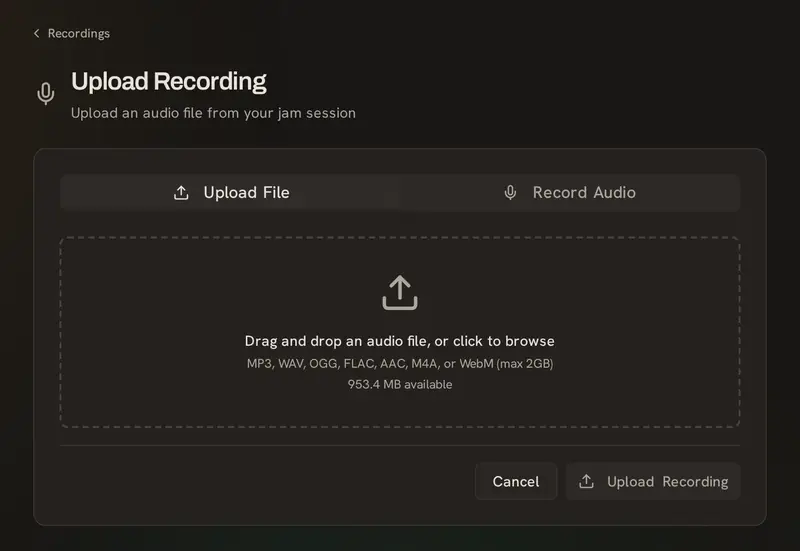
Press record in the browser, or upload the file from your interface or phone. Long recordings are fine, and nothing is re-encoded.
Split it into songs
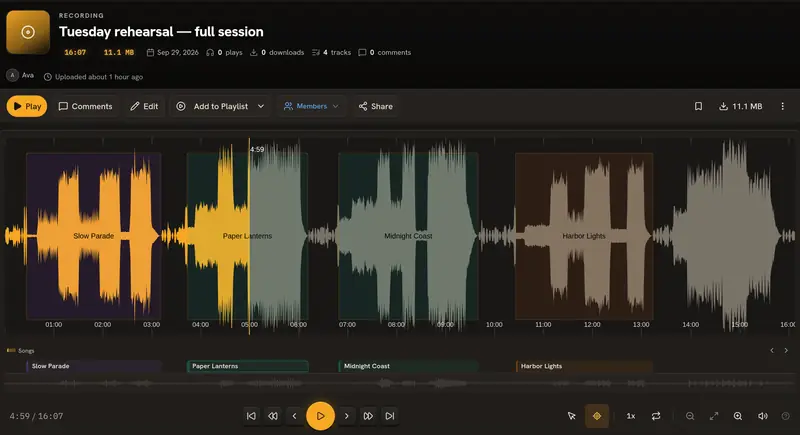
Mark where a song starts and ends, give it a name, and it joins that song's history. The full recording stays as it was.
Notes at the exact moment
Click the waveform to leave a comment, an idea or an issue at that second. Everyone sees it in place, and clicking it jumps straight there.
Rusty 0:01 comment Count-in felt rushed. Let's start a touch slower and settle in.
Sample song: "Weekend Cowboys" by John Bartmann, public domain (CC0).
Every version of a song
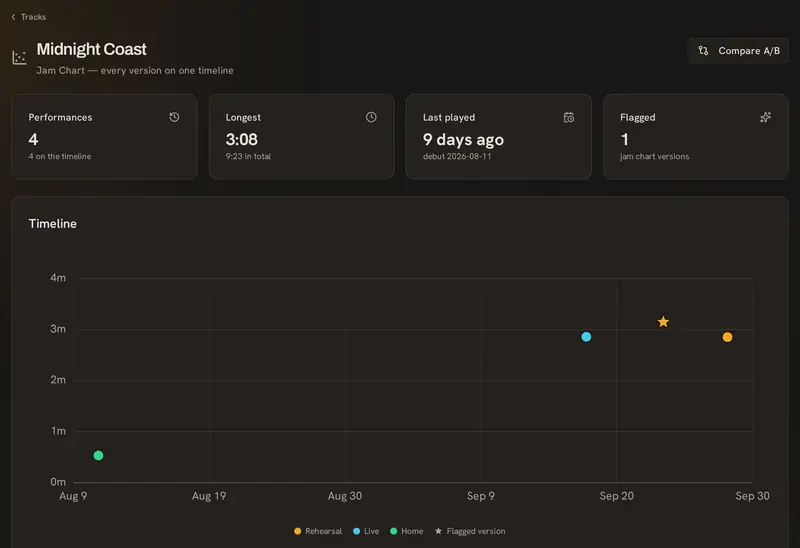
Each recording of a song lines up on one timeline. Mark the one you like best, compare two side by side, and see what you haven't played in a while.
Setlists, and the stage
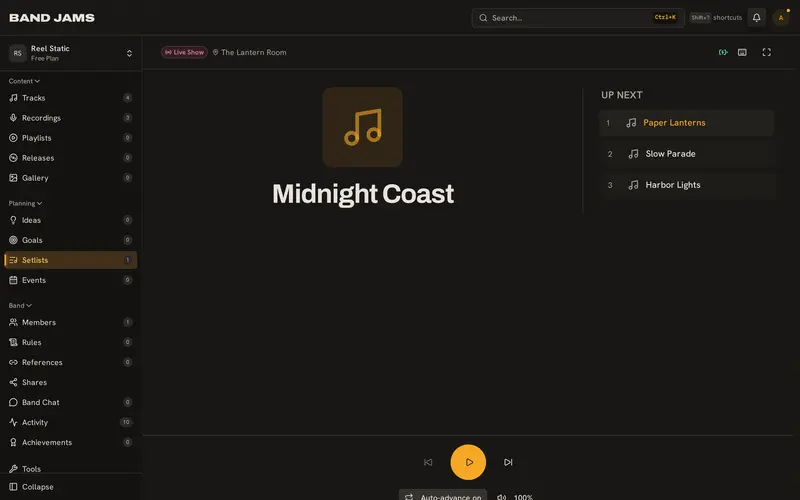
Build the set together. On stage, every bandmate's screen moves to the next song at the same time, in large type that's easy to read.
A record of every show
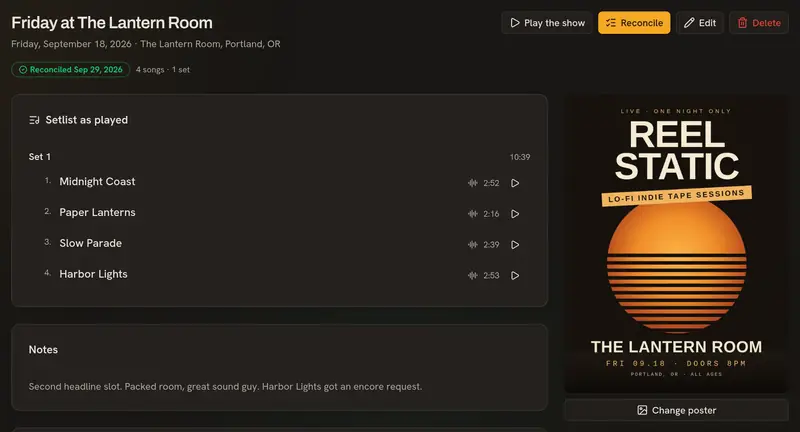
Keep what you actually played: the setlist as it happened, encores and segues, the recording, the poster and photos.
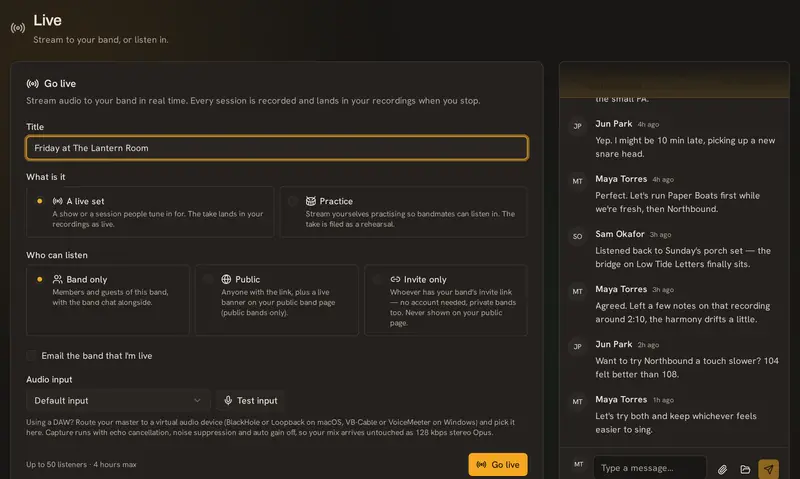
Go live
Stream a set or a practice to your band, to invited guests or to anyone. Listeners can react and chat, and the set is saved as a recording when you stop.
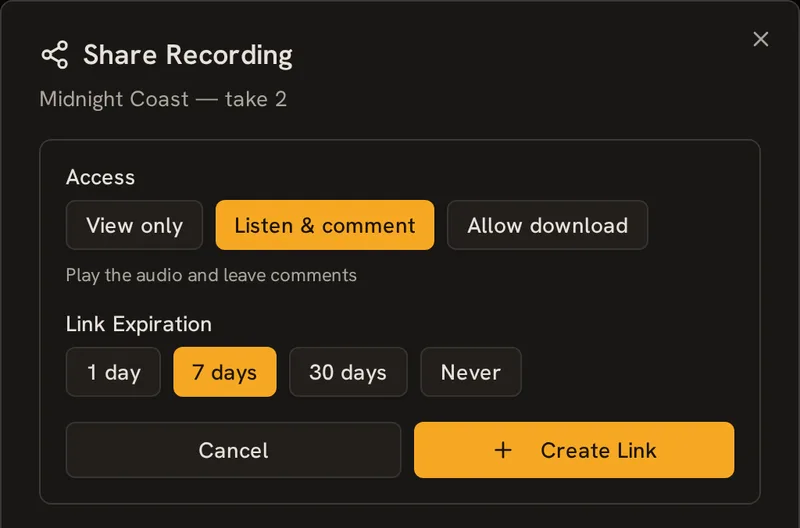
Share outside the band
Send a producer or a friend a link that plays in the browser. They don't need an account. You choose whether they can play it or also download the file, and when the link expires.
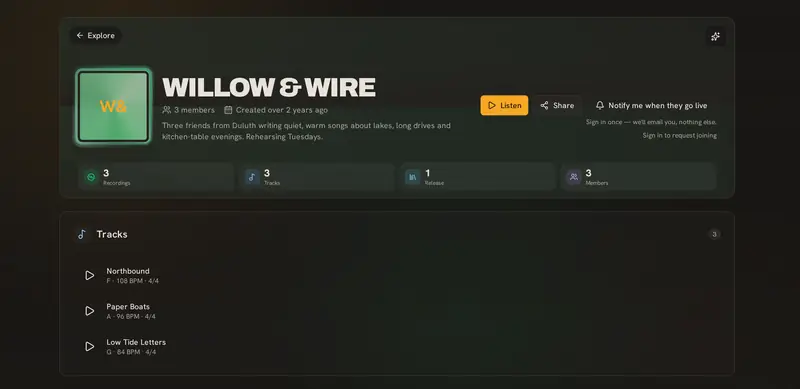
Private until you decide
Everything stays inside the band by default. When you want to, publish a song to your band's public page and it shows up on Explore.
Also included
- Shared calendar with RSVPs
- Band chat
- Ideas board
- Goals
- Releases and playlists
- Photo gallery
- Band rules
- Free musician tools
The quickest way to understand it is to try it.